Chromira ProLab
Q: What are the biggest advantages of the ProLab?
A. Our key claims have been heralded by ProLab owners: Productivity and cost savings; broad versatility and high efficiency workflow with easy integration.
Q. What is “unprecedented productivity”?
A. ProLab owners repeat the following all the time:
- Proven operational, labor, & energy savings
- High print production, including mixed orders
- Easy integration with mixed workflows
- Perfectly color-matched orders
- Automated order management
- Simple operation
- Affordable pricing
- Very low maintenance costs
Q. What is “maximum versatility”?
A. ProLab owners repeatedly share their experiences:
- Small footprint for placement almost anywhere with no darkroom
- Perfectly color matched orders
- Beautiful digital images from 3.5” x 5” up to 30” x 164 feet from one roll of 30’ media
- Images on all RA4 surfaces, including backlit display films
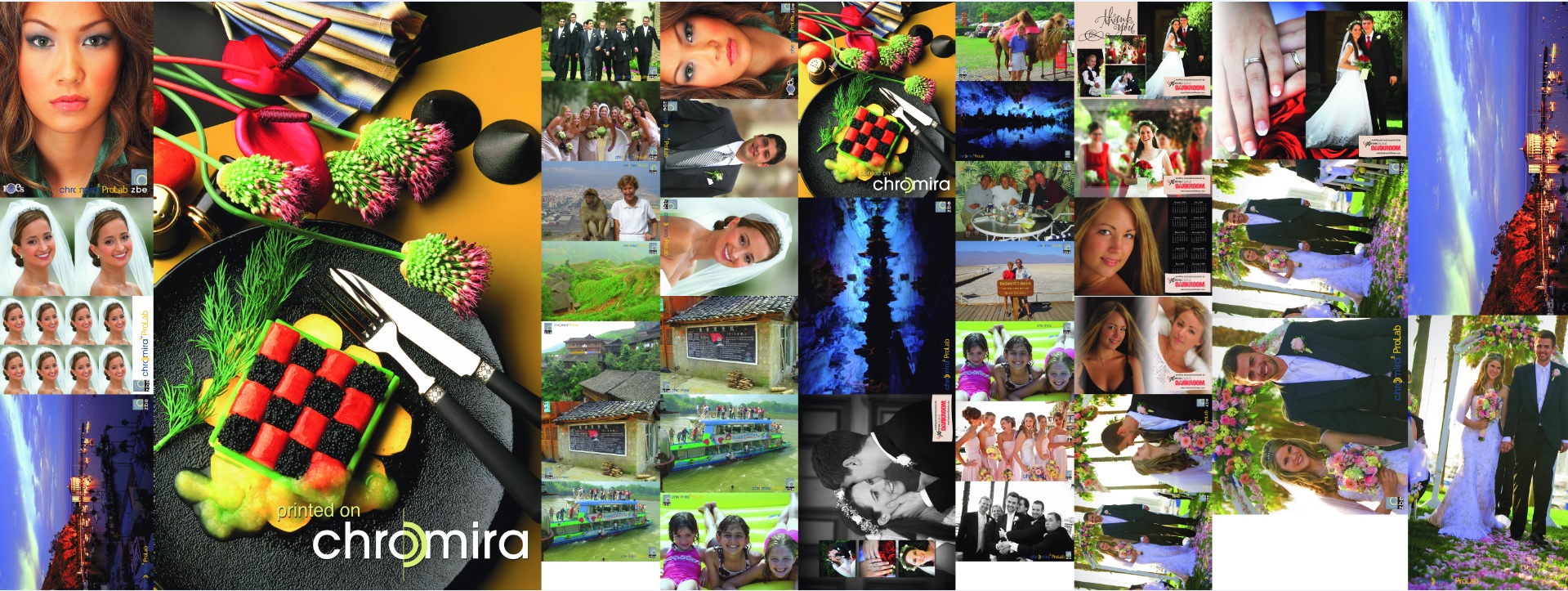
- Enables imagers to participate in multiple market segments with a more diverse, relevant and exciting portfolio
- Efficient delivery of mixed orders
Q. What is a “high efficiency workflow and easy integration”?
A. Our customers tell us:
- Integrates flawlessly with all popular workflows
- Streamlines workflow for maximum savings in labor, energy, space usage, equipment and maintenance
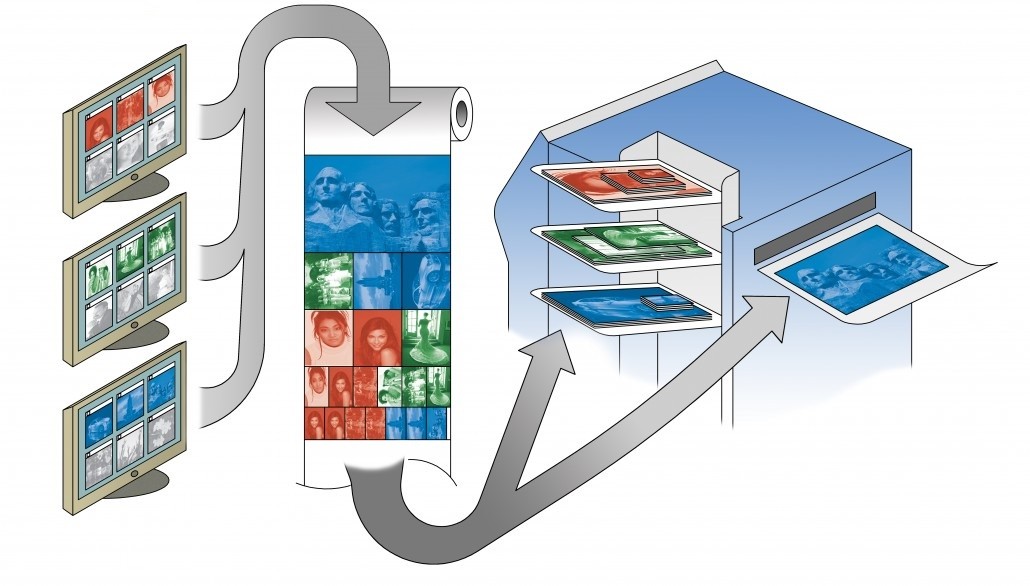
- For simultaneous orders of any print sizes or combination of print sizes: order managed, color matched, sorted, collated, stacked, ready to bag
- Reduces their complexity and turn-around time, opening new market opportunities
Q: Will the Chromira ProLab workflow integrate with other digital workflow software?
A: Yes. The ProLab was designed to seamlessly integrate with all popular workflow applications to meet your digital production and workflow. They include: Fuji PIC, Kodak DP2, Express Digital, ROES, Labtricity, Frontline, etc.
Q: I use Labtricity and Darkroom to print online orders and orders from customers. Is there another way?
A: Your customers can download WorkStream DS from the ZBE website for free. This will allow your customers to submit corrected orders to your FTP server, which will then be opened in Workstream IA and submitted for printing.
Q. What kind of files can Chromira print?
A: Chromira ProLab will print RGB TIFF, JPEG and BMP files. TIFF files may be either PC or MAC type. Other file types (such as Postscript) must first be converted to TIFF in order to be printed on the Chromira ProLab. Postscript files are converted to TIFF files with a Raster Image Processor (“RIP”).
Q: What size prints can the Chromira ProLab make?
A: Chromira ProLab can make prints of any size up to 30” (76cm) wide by 160 (48.8m) feet long. There is no minimum size restriction.
Q: Does the Chromira ProLab cut prints to size?
A: The Chromira ProLab cuts, stacks, and collates most sizes of prints with its XY cutter. The smallest size Chromira ProLab can cut is 3.5” x 5” (8.9 x 12.7cm). Chromira ProLab cuts all finished sizes up to 12” x 30” (30.5 x 76cm), and any print that is 30” wide, fully automatically. Some odd sized larger prints require trimming one edge.
Q: What size paper does the Chromira ProLab take? A: The ProLab now supports print roll widths from 30” (76cm) down to 10” (25.5cm). However, the Chromira ProLab truly needs only one size of paper: 30” (76cm). This size will best utilize its unique cutting, sorting, and stacking capabilities, as well as the ProLab’s automatic nesting workflow.
Q: How does Chromira ProLab handle color matching between multiple size prints?
A: Since all prints come from the same roll/emulsion, they are automatically color matched.
Q: How does the job sorting and collating work?
A: Prints are nested for maximum paper savings while printing, but are then sorted together by job. All the prints from one job are delivered into the same bin automatically. The bins hold prints up to 11”x14” (27.9 x 35.6cm). Prints larger than 11x14 are deposited on the print “hammock” on the back of the machine.
Q: Does Chromira ProLab require a darkroom?
A: There is absolutely no darkroom required. Other “daylight” operation machines require a darkroom in order to load “daylight” paper cassettes. Mini-lab type machines can use a changing bag on a separate table instead of a darkroom, but large-format machines all need a darkroom. Not only is this inconvenient, but it doubles the amount of space needed for the machine. In order to avoid the use of a darkroom, Chromira ProLab omits the use of a cassette. Chromira ProLab uses the original paper box as its cassette. The whole box goes into the machine and the operator loads the machine by reaching through a light-tight panel. This takes about 30 seconds. No darkroom. No cassette. No cassette to drop and break. The Chromira ProLab is really the ONLY true daylight operating printer.
Q: How big is the Chromira ProLab?
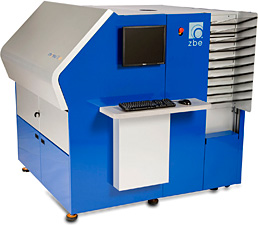
A: The footprint of the Chromira ProLab is 5’ x 5.5’ (1.5m x 1.7m), smaller than many mini-labs.
Q: Does the Chromira ProLab include or require a “Front End”?
A: The usual “Front End” bottleneck is eliminated with Chromira ProLab. Each PC networked in the lab has full access to the “front end” functions. This completely eliminates the need for a dedicated “front end” computer, and removes the bottleneck, which results from having to pass each print job through the “front end” workstation.
Q: Does the Chromira ProLab require a dedicated operator?
A: Yes, though the Chromira ProLab can run unattended until all the trays are full, it is still a working machine that is constantly outputting finished prints. An operator will be required to empty the collating trays and print catcher (for large prints).
Q: What about a RIP?
A: Most digital imaging departments have one or more RIP packages they use to drive other printers. Chromira ProLab is an “open system” Therefore, it works with any RIP that can generate an RGB TIFF file (including most popular RIPs). The Chromira ProLab should integrate easily into any system.
Q: Does the Chromira ProLab back print data on each finished print?
A: Yes. The Chromira ProLab back prints 3 lines of information.
Q: How does the Chromira ProLab connect to our computer(s) or workstation(s)?
A: Chromira ProLab does not plug in like a desktop printer. It has a built-in Windows XP computer and connects to the other computer(s) over the network much like any other PC. Files can travel over the network to the Chromira ProLab as it is printing. Everything necessary to the interface to the network is included with the Chromira ProLab. The user need only supply the network connection to plug into it.
Q: If I would like to shoot and submit an order right from my studio room without having to walk the order to the print room, can I do that? Will I require a WorkStream license for each computer I would like to network?
A: You can absolutely submit the order from your studio, and no, you will not require separate WorkStream programs for all the computers submitting jobs to the printer. Images can be submitted to the computer that is running the Workstream IA software by way of a hot folder. The hot folder would automatically submit the images through Workstream IA for printing.
Q: Since the Chromira ProLab is PC-based, how can I print images from my MAC?
A: The Chromira ProLab can print RGB TIFF files in both MAC and PC formats. MAC images can be brought to the Chromira ProLab via 1) Network, 2) DVD, or 3) CD.
Q: How fast does Chromira ProLab print?
A: Chromira ProLab prints at 24 (61 cm) inches per minute. That equals:
1440 4x6” prints per hour
480 8x10 prints per hour
240 11x14 prints per hour
69 20 x 30 prints per hour
35 30x40 prints per hour
Q: What materials can the Chromira ProLab print on?
A: Chromira ProLab prints on virtually all RA4 photographic material. This includes paper and backlit display films. It prints beautifully on digital B&W, Kodak Metallic, and Fuji Pearl.
Q: How do you handle switching from one paper type to another?
A: To change from one surface to another takes approximately 60 seconds for an experienced operator. The ProLab is equipped with light-tight sleeves, that allow the operator to reach into the print engine, dismount the roll of media, place it back in the box that the paper came packed in, put the lid on the box and remove it from the printer. The next step is to place the desired roll of media into the printer, close the loading doors, and load the paper as normal.
Q: How much waste is involved with a new paper roll or a switch?
A: Five inches.
Q: What kind of RA4 chemistry does the Chromira ProLab use?
A: Chromira ProLab can utilize any brand of standard RA4 photographic chemicals.
Q: If I needed a cleaning sink, what is the largest roller size in the processor?
A: The developer and bleach racks are the largest racks in the system, and measure 39” x 15” x 5”.
Q: Does the Chromira ProLab function emulsion in or emulsion out?
A: Chromira ProLab can be set to print with either an emulsion in or emulsion out setting, depending on the user's preference.
Q: Will the Chromira ProLab work in a location that does not have a floor drain?
A: Yes, the Chromira ProLab can be configured to utilize “washless RA4” chemistry when a convenient floor drain is not available.
Q: What are the benefits of running Chromira ProLab as a washless printer?
A: The most important benefit is that Chromira ProLab can operate in virtually any location where power, water, and air are available.
Q: Who manufacturers the RA4 processing module of the Chromira ProLab?
A: The RA4 processing module of the Chromira ProLab is engineered and manufactured by Engineering Services to ZBE’s specifications.
Q: How is the Chromira ProLab calibrated?
A: Primary calibration of the Chromira ProLab is done by printing a test image. The calibration image has a series of gray patches ranging from white to black. The gray patches are read with a densitometer that connects into the computer. The Chromira ProLab calibrates automatically from these densitometer readings. The process is generally called “linearizing” the machine.
Q: How does color management work on Chromira ProLab?
A: Color management on the Chromira ProLab works by applying a “profile” on-the-fly to the image being printed. The purpose of the profile is to make adjustments to the colors as specified in the image file so that colors of the print will match the colors of the original. In practice, color profiles will also adjust the color differences between brands of paper. It will be necessary to have a different profile for each brand and type of paper being printed. The profile can be applied on-the-fly to the image file during rasterization.
Q: Can I adjust the color of an image when I print it?
A: Yes.
Q: How does Chromira ProLab’s resolution compare with the resolution of an inkjet printer?
A: Images printed on Chromira ProLab are far superior in image quality to images from an ink jet printer. The resolution of Chromira ProLab is specified in continuous tone Pixels per Inch. Inkjet printers specify resolution in Dots (of ink) Per Inch. It is generally considered that it takes 5-6 times the resolution in Dots per inch to match continuous tone resolution. Thus it would take an ink jet printer at least 1500 Dots per Inch of resolution to equal the quality of the Chromira ProLab’s prints at 300 Pixels per Inch.
Q: In the event of a technical problem, what service support is there to help me?
A: ZBE provides telephone, web and onsite support dependent on your need.
Technicians are available by telephone from 7:30 am to 6:00 pm, Pacific Time.
ZBE has an innovative software tool, “Chromira Expert Tech”, to minimize customer downtime. Its breakthrough diagnostics capabilities, technical support and reporting capabilities significantly speed and enhance troubleshooting. When an error is reported to ZBE’s Web Service Portal, the “Chromira Expert Tech” software collects critical customer experience information, including calibration, balance and usage. It prompts the Printer Operator to answer specific clarifying questions. This information is automatically analyzed by diagnostic software tools to identify the issue and prospective causes. The data and analysis is evaluated by ZBE Service Professionals for further testing and verification. “Chromira Expert Tech” saves customers time spent in collecting data and answering questions. The Lab’s downtime is greatly reduced through enhanced problem solving and fast response.
If ZBE Service and you determine that a technician is needed on sight, ZBE will make arrangements for a trained technician to respond within 24 hours.